How-toChats
Open a terminal
Run commands beside a chat, or work with an agent's own CLI in a Terminal session.
All pagesOpen an AI terminal. About 1 minute.
Important: Terminal sessions follow the provider’s mode, without Spark’s approval cards or path protection. Recording covers Claude with Spark’s mod; Codex keeps metadata only.
Start a Terminal session
- Select New chat, then Chat → Terminal below the box.
- Select Choose project, then a project or Add folder….
- Beside Start terminal, pick Claude Code or Codex and permissions, or an installed Gemini CLI, OpenCode or Amp.
- Claude Code or Codex: describe the work; press Enter. Others start empty, untracked.
The lead delegates implementation. Pull requests aren't automatic.
Running, Waiting for input, Waiting for permission and Idle follow agent events; idle Claude shows its cache. Open: no tracking. Drops insert paths.
Selection copies; Add to terminal, Ask about this, Comment and New chat with this reuse it (hold Option). Browser picks land there.
Focus terminal (⌘⇧F) hides the chat list and Work panel. ⋯ has Copy folder path, Reconnect and Stop session (hold). Paired devices can follow.
Open a shell beside Chat
- In a chat's … menu, select Terminal, or press ⌃`.
- Type commands; Spark doesn't ask.
- + adds a tab, × closes one.
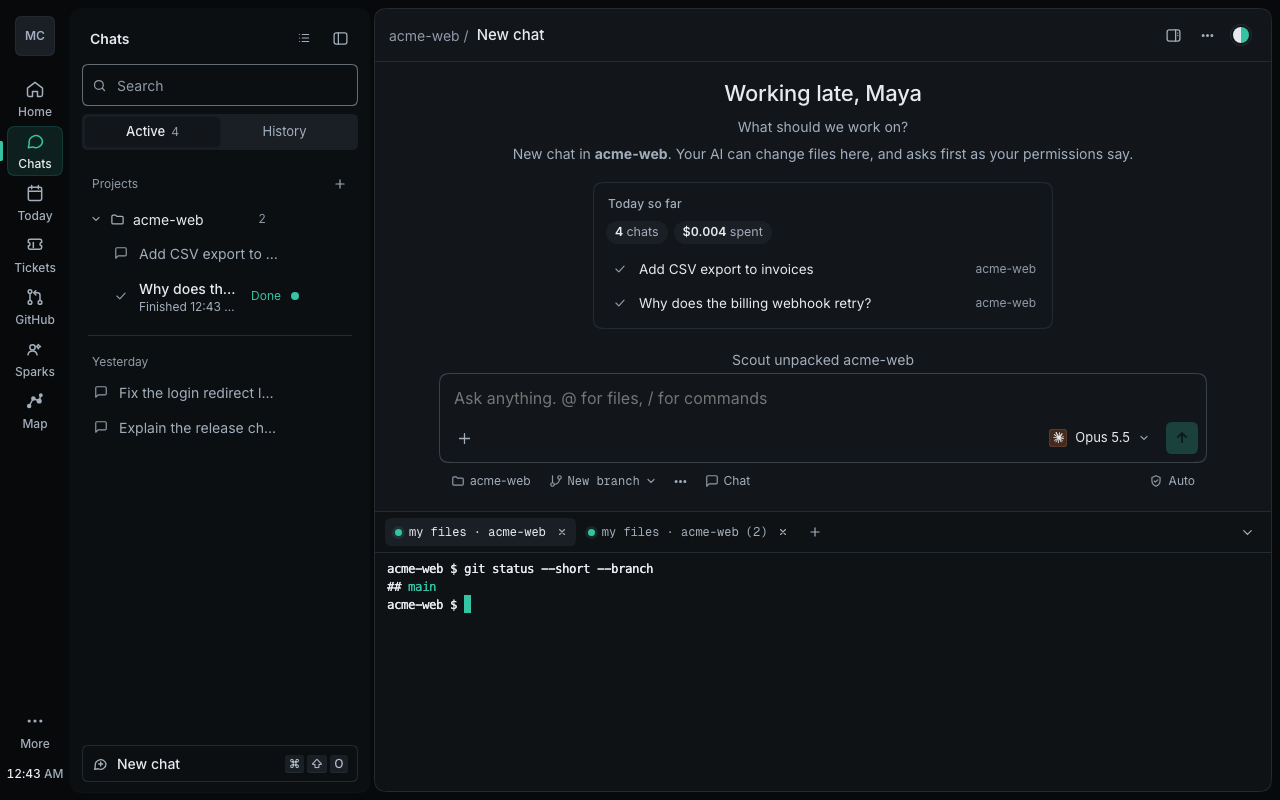
It starts in the chat's worktree, checkout or home. A busy tab asks Hold to stop; Keep running cancels.
A shell's alert (OSC 9, 777 or 99) shows in the chat row's tooltip until opened, silently.
Listening ports, like localhost:5173, show in the chat's Context rail; select one to open in the Browser pane (Mac).

Watch an agent's command
- On a reply's command, select Open in terminal.
The read-only tab stops with Stop turn. Claude and Z.ai output shows when it ends.
Close and recover
Agents survive chat switches, restarts and crashes, Windows too; Quit stops them.
After reboot or exit, Resume session restores history, not commands; Start again resends the first message.