How-toApprove and review
Review, keep or revert changes
Read the diff in the Changes drawer, undo a run or one file, and bring kept changes into your own checkout.
All pagesRead what the agent changed and keep or undo it. About 2 minutes.
Read the diff
- Select the changed-lines chip in the chat header, or press ⌘D.
- Pick a file, or type in Filter files.
- Switch Unified and Split, select Wrap for long lines; ⌘F searches.
- Esc closes the drawer.
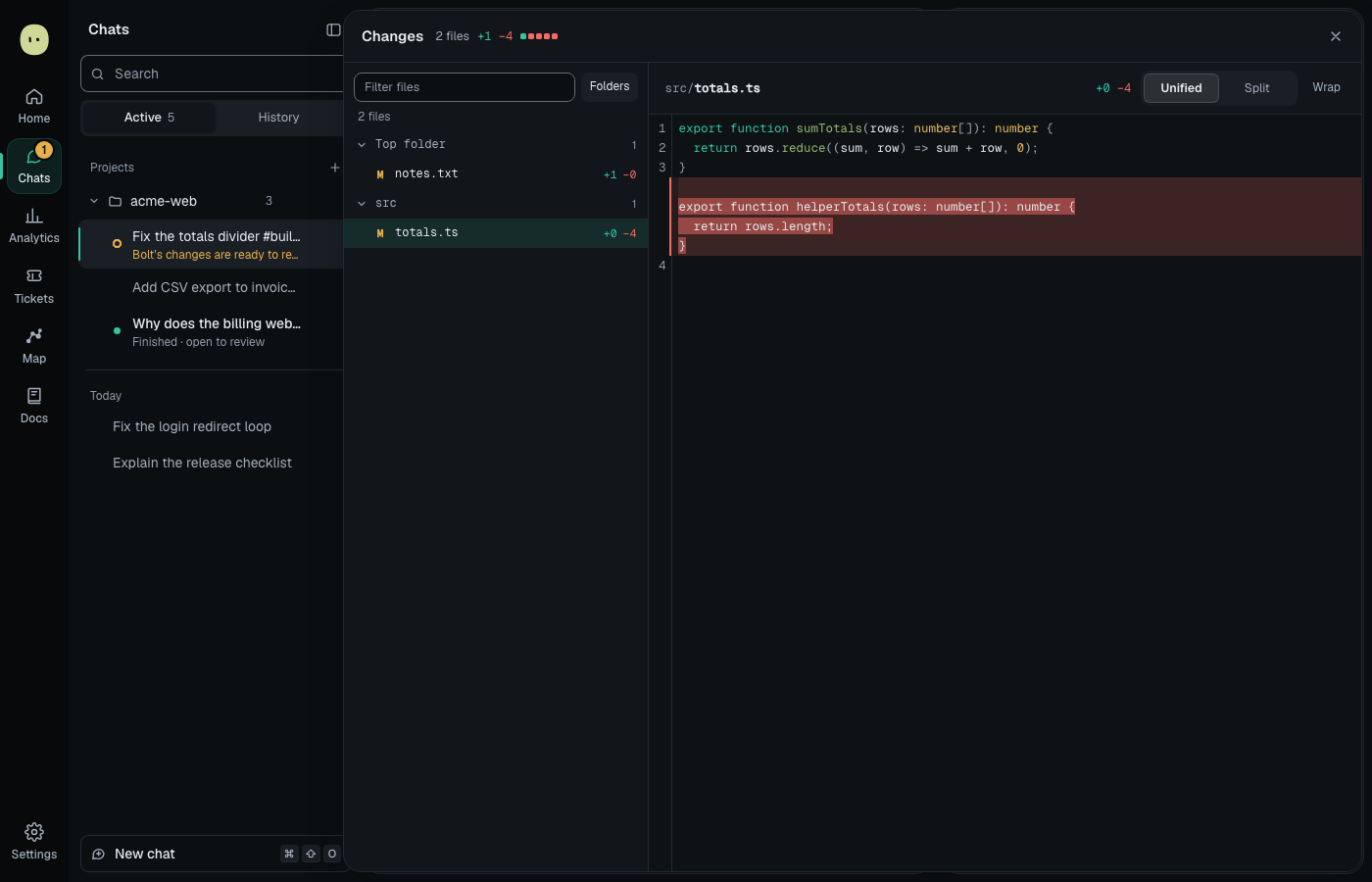
Big, generated and binary files stay folded until you select Load full file or Show diff.
Keep or revert
Spark keeps changes itself, in a Changes kept record: files, lines, commit and pull request.
| To | Select |
|---|---|
| Undo a run | Revert to before this run, on a turn that changed files |
| Undo one file | Revert file, above its diff |
| Copy kept changes into your checkout | Bring changes into branch, expanded |
| Commit, push or open a pull request | See Ship a change |
Revert file restores one file, or deletes one the run created. It refuses a file changed since. Commits and pushes stay. The agent is told next turn.
Only the agent's own edits count and revert, not changes pulled in from the main branch. Without git, only its edit tools' changes count; a command's go unseen.